YApi 集成 OpenLDAP

一、Docker 部署 yapi

1.1 启动 MongoDB

1
2
3
4
[admin@centos7 ~]$ docker run  \
--name mongo-yapi \
-p 27017:27017 \
mongo:4.0

1.2 初始化 Yapi 数据库索引及管理员账号

1
2
3
4
5
6
[admin@centos7 ~]$ docker run -it --rm \
--link mongo-yapi:mongo \
--entrypoint npm \
--workdir /api/vendors \
registry.cn-hangzhou.aliyuncs.com/anoy/yapi \
run install-server

1.3 启动 Yapi 服务

yapi版本信息可在 阿里云镜像仓库 查看

1
2
3
4
5
6
7
[admin@centos7 ~]$ docker run -d \
--name yapi \
--link mongo-yapi:mongo \
--workdir /api/vendors \
-p 3000:3000 \
registry.cn-hangzhou.aliyuncs.com/anoy/yapi \
server/app.js

二、使用 yapi

访问 http://localhost:3000 登录账号 admin@admin.com,密码 ymfe.org
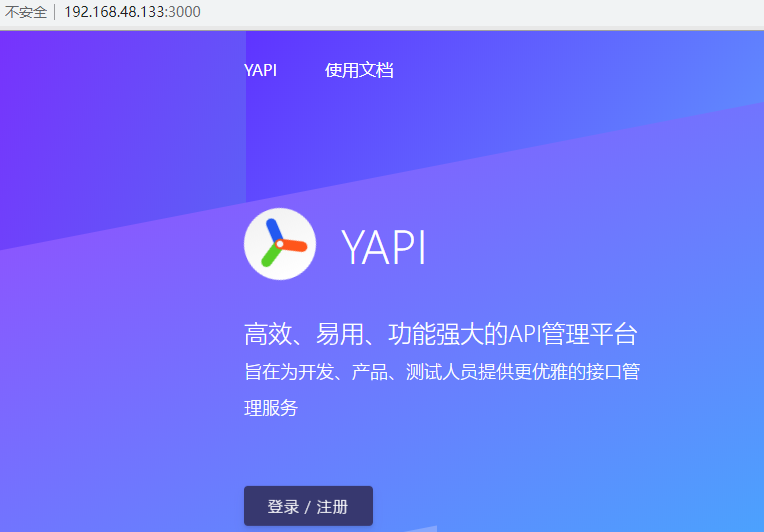
图片1

更多文档信息,请参考Yapi 官方文档

三、yapi 集成 LDAP

3.1 修改 yapi 配置文件

1
2
3
4
5
6
7
8
9
10
11
12
13
14
15
16
17
18
19
20
21
[admin@centos7 ~]$ docker exec -it yapi sh
/api/vendors # cat ../config.json
{
"port": "3000",
"adminAccount": "admin@admin.com",
"db": {
"servername": "mongo",
"DATABASE": "yapi",
"port": 27017
},
"ldapLogin": {
"enable": true,
"server": "ldap://192.168.48.138:389",
"baseDn": "ou=yapi,ou=groups,dc=sys,dc=com",
"bindPassword": "abc.yapi",
"searchDn": "ou=users,dc=sys,dc=com",
"searchStandard": "&(objectClass=person)(cn=%s)",
"usernameKey": "username"
},
"closeRegister": true
}

enable:表示是否配置 LDAP 登录,true(支持 LDAP登录 )/false(不支持LDAP登录);
server:LDAP 服务器地址,前面需要加上 ldap:// 前缀,也可以是 ldaps:// 表示是通过 SSL 连接;
baseDn LDAP:服务器的登录用户名,必须是从根结点到用户节点的全路径(非必须);
bindPassword:登录该 LDAP 服务器的密码(非必须);
searchDn:查询用户数据的路径,类似数据库中的一张表的地址,注意这里也必须是全路径;
searchStandard:查询条件,这里是使用账号登陆,而非邮箱;若要用邮件作为账号,则"searchStandard": "mail"即可;
emailPostfix:"emailPostfix": "@163.com",登陆邮箱后缀(非必须);
emailKey:"emailKey": "mail",ldap数据库存放邮箱信息的字段(v1.3.21 新增 非必须);
usernameKey:ldap数据库存放用户名信息的字段(v1.3.21 新增 非必须);
closeRegister:表示关闭注册功能。

3.2 重启 yapi 生效

1
[admin@centos7 ~]$ docker restart yapi

3.3 配置 yapi 分组和权限

集成完OpenLDAP后,剩下的就是在 yapi 后台配置分组和相关人员权限了。

四、手动构建 yapi 镜像

4.1 下载部署包

1
[admin@centos7 yapi]$ wget -o yapi.tar.gz https://github.com/YMFE/yapi/archive/v1.8.0.tar.gz

下载地址:https://github.com/YMFE/yapi/releases

4.2 编写 Dockerfile

1
2
3
4
5
6
7
8
9
10
11
12
13
14
15
[admin@centos7 yapi]$ cat Dockerfile
FROM node:12-alpine as builder
RUN apk add --no-cache git python make openssl tar gcc
COPY yapi.tar.gz /home
RUN cd /home && tar zxvf yapi.tar.gz && mkdir /api && mv /home/yapi-1.8.0 /api/vendors
RUN cd /api/vendors && \
npm install --production --registry https://registry.npm.taobao.org
FROM node:12-alpine
MAINTAINER 545544032@qq.com
ENV TZ="Asia/Shanghai" HOME="/"
WORKDIR ${HOME}
COPY --from=builder /api/vendors /api/vendors
COPY config.json /api/
EXPOSE 3000
ENTRYPOINT ["node"]

4.3 构建镜像

1
[admin@centos7 yapi]$ docker build -t yapi .
-------------本文结束感谢您的阅读-------------